For fashion, accessories and home brands on Shopify
Line sheets your stockists order from.
Send each stockist, the retailer or boutique that buys from you, a link with their own prices. They order by size and quantity; you get a Shopify draft order, not an email thread to retype.
Set up your first sheet from a collection in a few minutes.
Free plan available. Billed through Shopify. Cancel or uninstall any time from your Shopify admin. Company prices use Shopify B2B when you have it; otherwise use a price tier or a percentage off retail. The app follows your Shopify admin language, and each buyer page opens in the language chosen for its link.
See Carnet in a minute
A one-minute walkthrough: from a Shopify collection to a draft order.
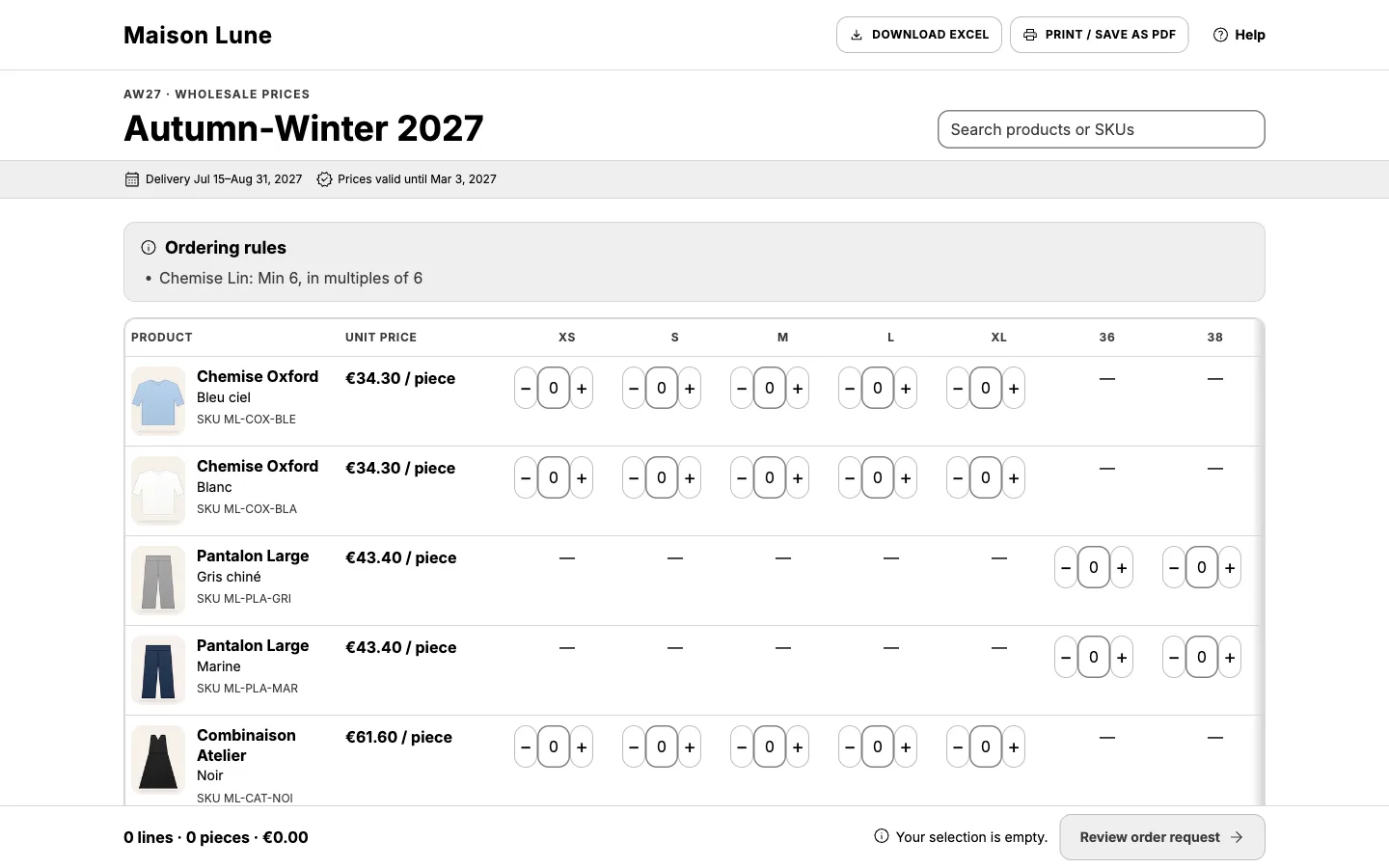
Carnet is a Shopify app that turns a Shopify collection into a branded wholesale line sheet and order form. Brands that sell wholesale to stores send each stockist (wholesale buyer) a link; the stockist picks quantities by size at their wholesale price, and the order arrives in the brand's Shopify admin as a draft order or order request. Carnet has a free plan and paid plans at $19 and $39 USD every 30 days, billed through Shopify. Stockists need no account.
Before and with Carnet
Before
- A PDF or Excel file emailed to each stockist
- Prices that go stale between sends
- Orders retyped into Shopify by hand
With Carnet
- One link per stockist, on your store's domain
- Prices synced from Shopify, refreshed on demand
- Orders arrive as Shopify draft orders or order requests
Stop retyping orders
Orders land in Shopify as draft orders or order requests, with every size and quantity in place.
The right price for each stockist
A stockist link shows that company's own prices from Shopify B2B. Other links use a price tier, a percentage off retail, or retail.
No account to create
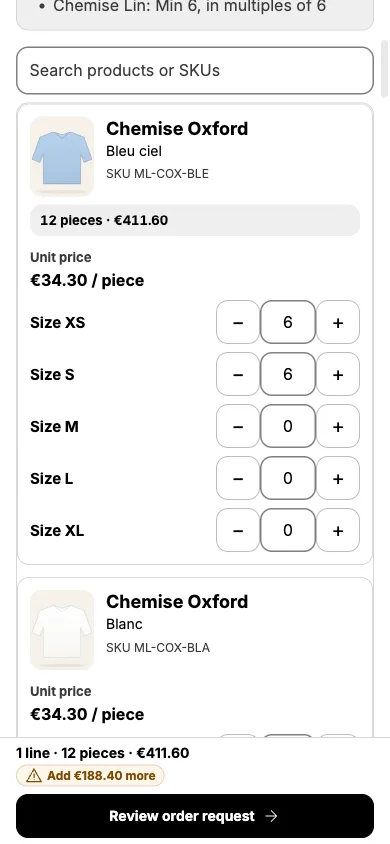
Buyers open a link, pick quantities by size and send. Their selection is saved on their device as they go.
What Carnet is not
Not another portal
No buyer logins. Orders stay in your Shopify admin.
Not a PDF
Prices and products are synced from Shopify. Orders come back without retyping.
Not a marketplace
Your look, on your store's domain or your own subdomain. No commission.
Not a Shopify B2B replacement
Use them together: company prices and draft orders stay in Shopify, and Carnet is the line sheet your stockists open.
From collection to draft order in three steps
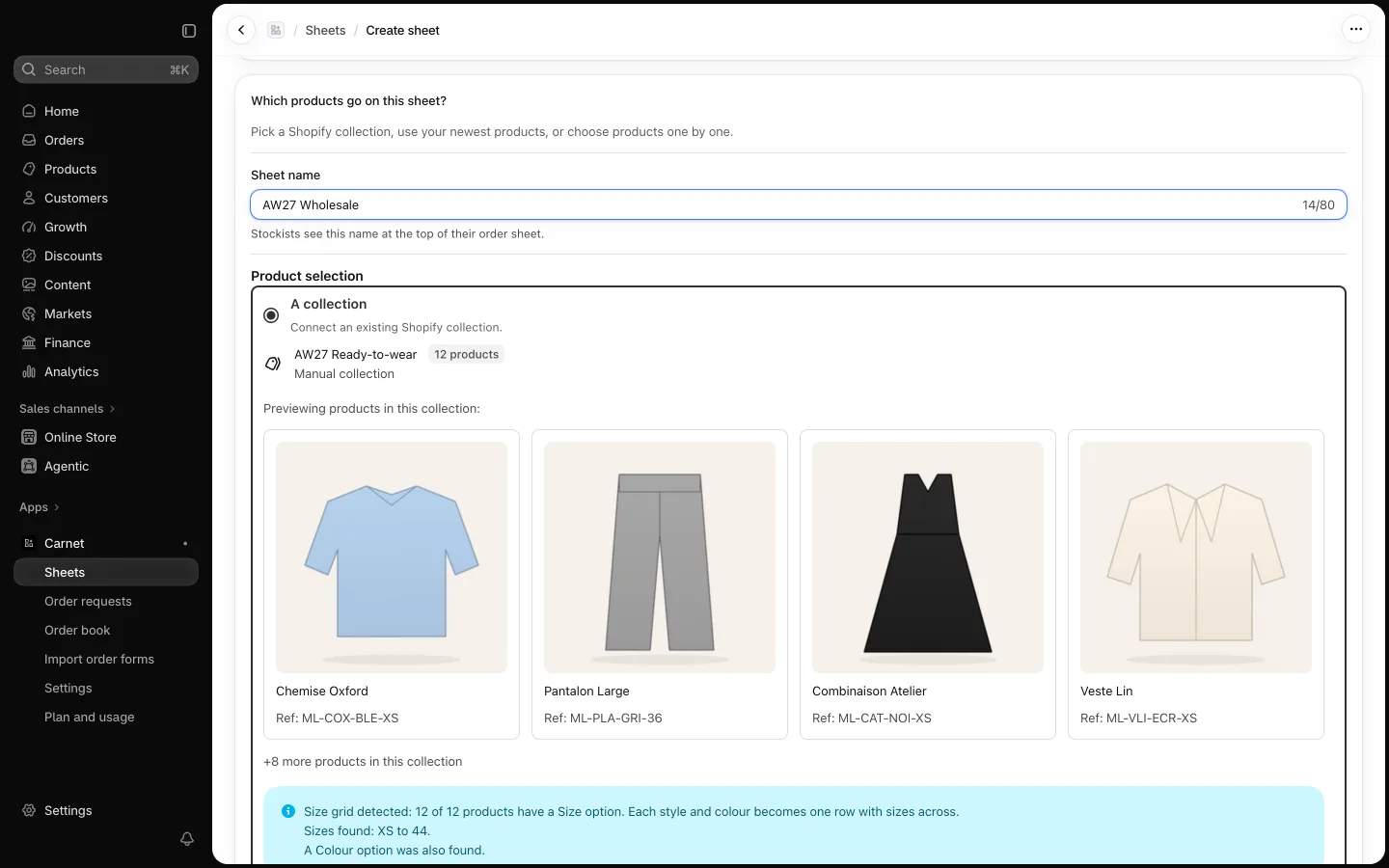
1. Create a sheet from a collection
Pick a Shopify collection. Carnet detects size grids and builds the sheet.
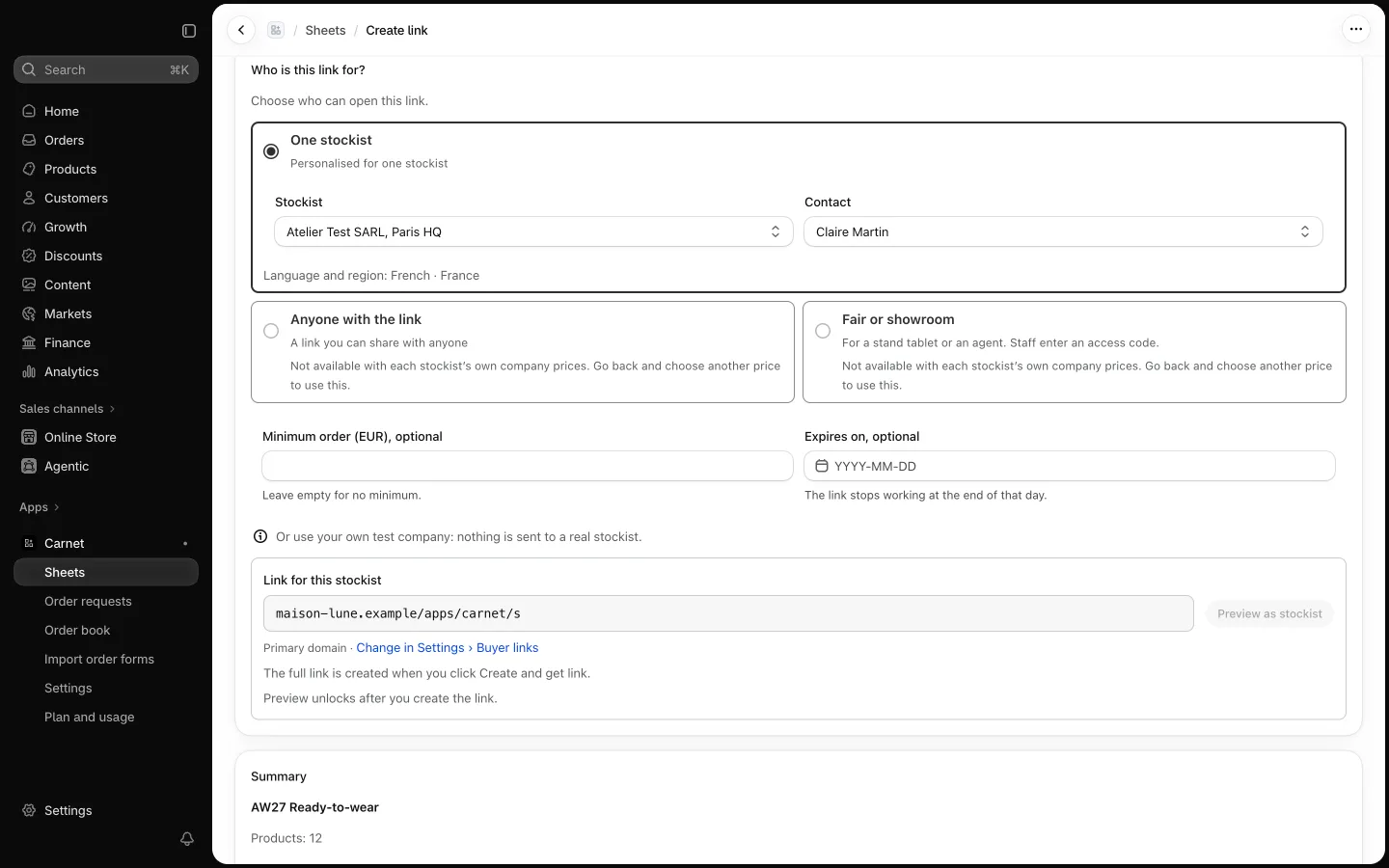
2. Share a link
One link per stockist, or a link for anyone. On your store's domain, with a QR code.
3. Review the order in Shopify
Stockist orders become draft orders. Others wait as requests you approve. Then send Shopify's invoice.
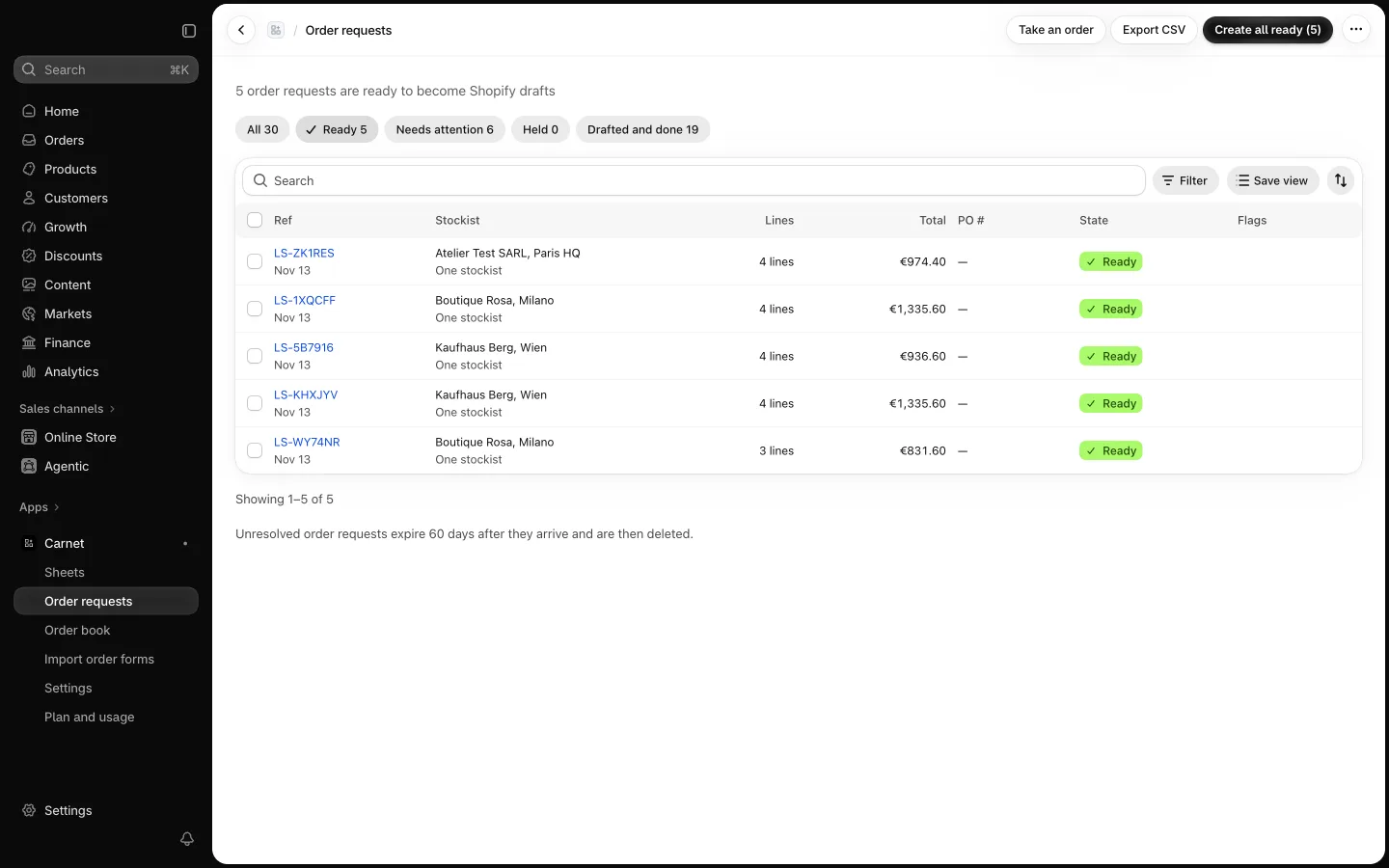
Made for seasonal ranges
Apparel
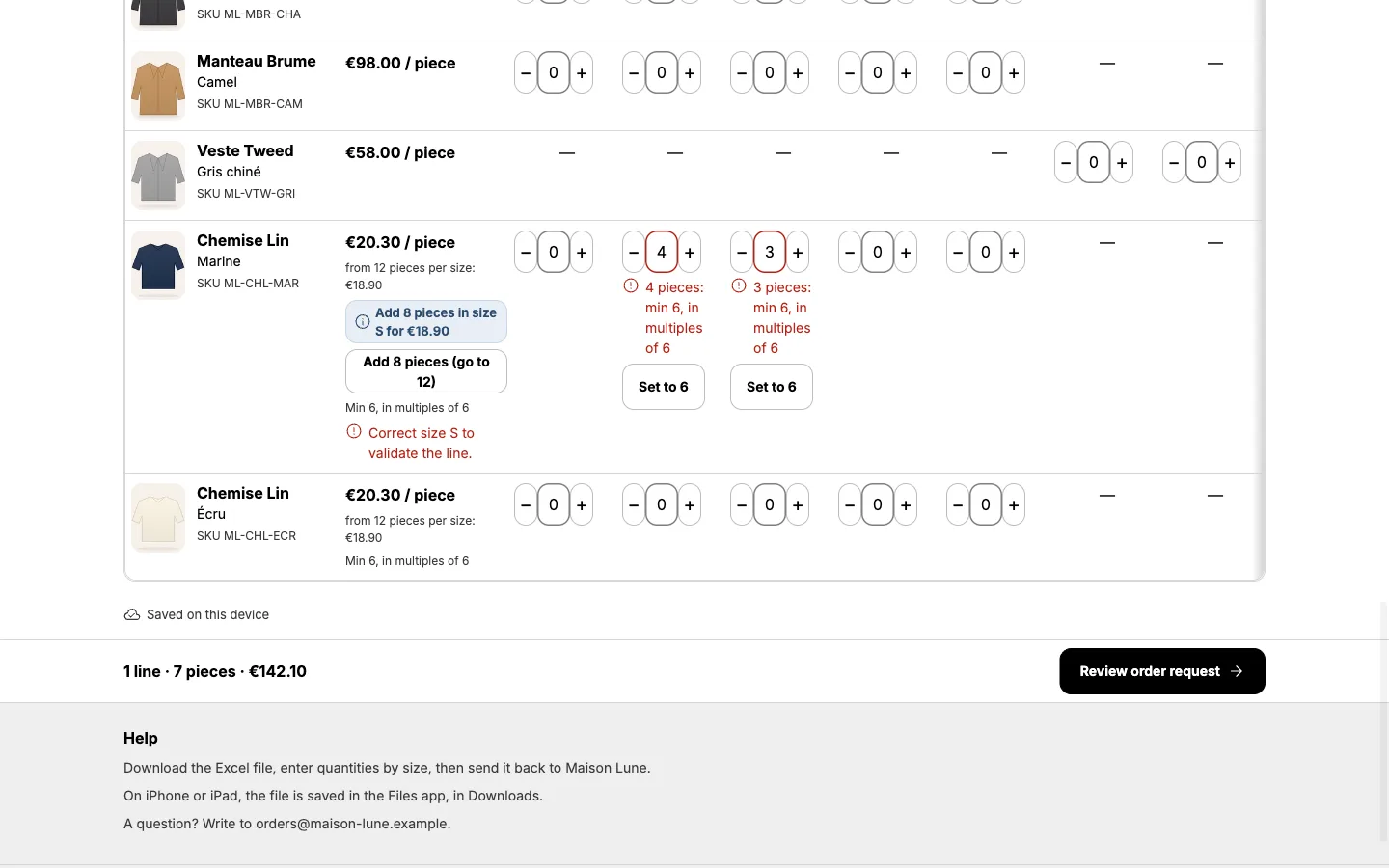
Carnet detects size grids, so a stockist orders every size of a style in one row.
Accessories and home
The same page works for products without size grids: pick a quantity and go.
Every season
Set a delivery window, an order deadline and a price date. Duplicate last season's sheet and update it.
A page that reads like your line sheet
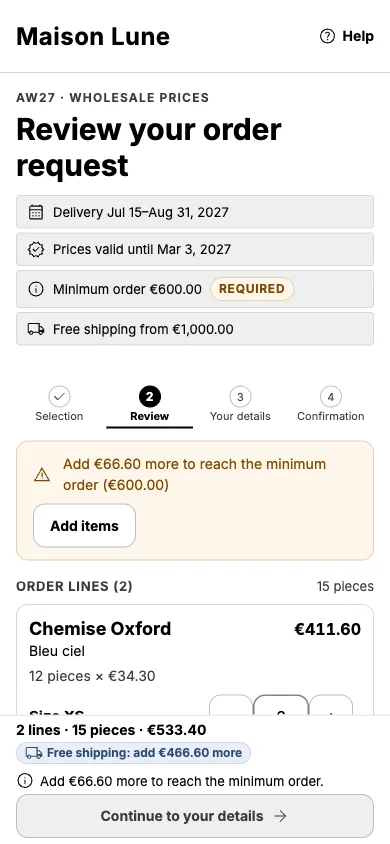
- Size grids, minimum order and free-shipping threshold
- Delivery window, order deadline and price date up front
- In your stockist's language
- Prints as an A4 order form
Your brand, not ours
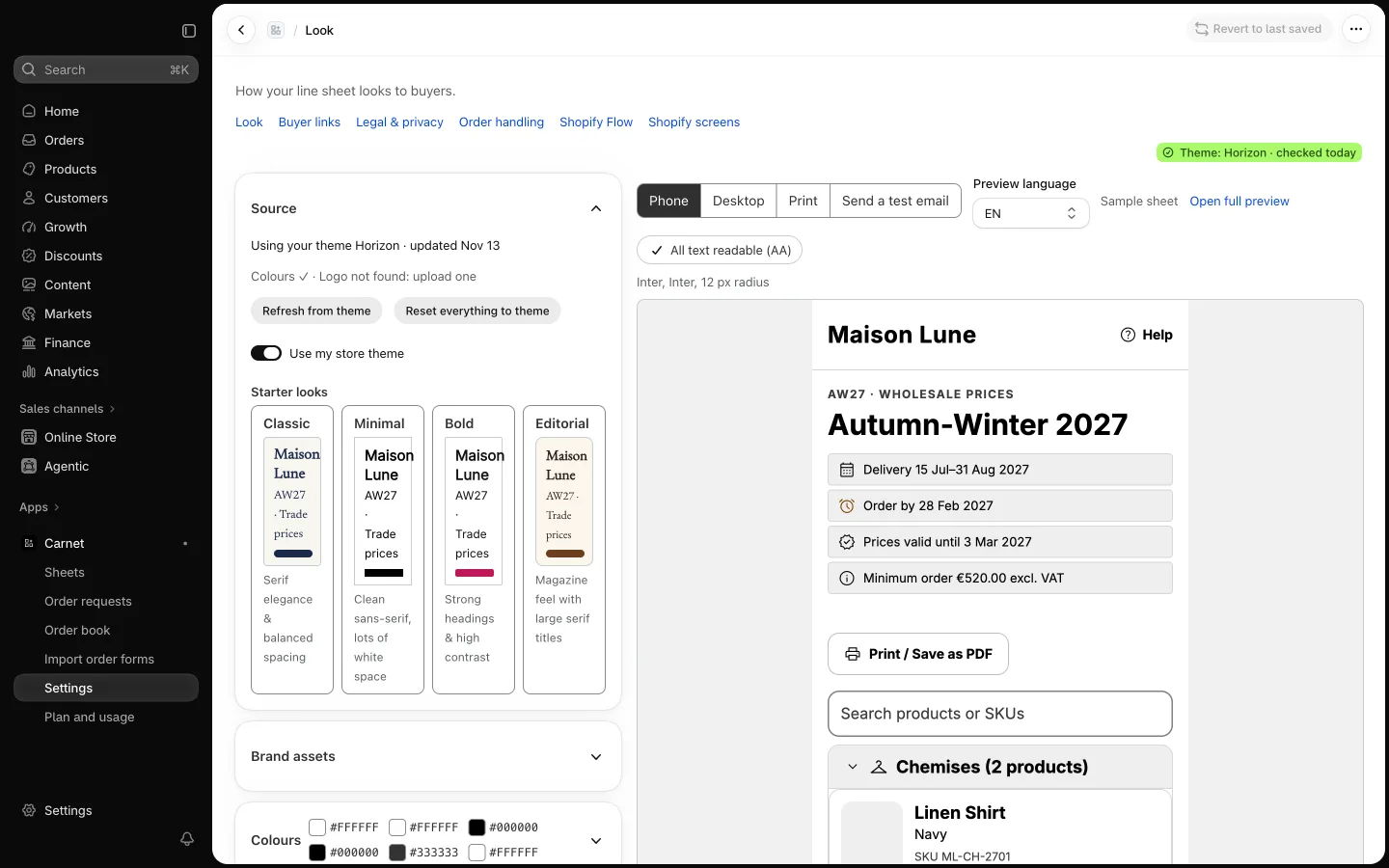
Carnet imports your theme's colours and fonts. Adjust them in Settings → Look. Paid plans add headers, button styles, gallery layouts, a look per sheet, and on Pro your own font files.
Branded look: colours, fonts and domain →
Still get orders by Excel?
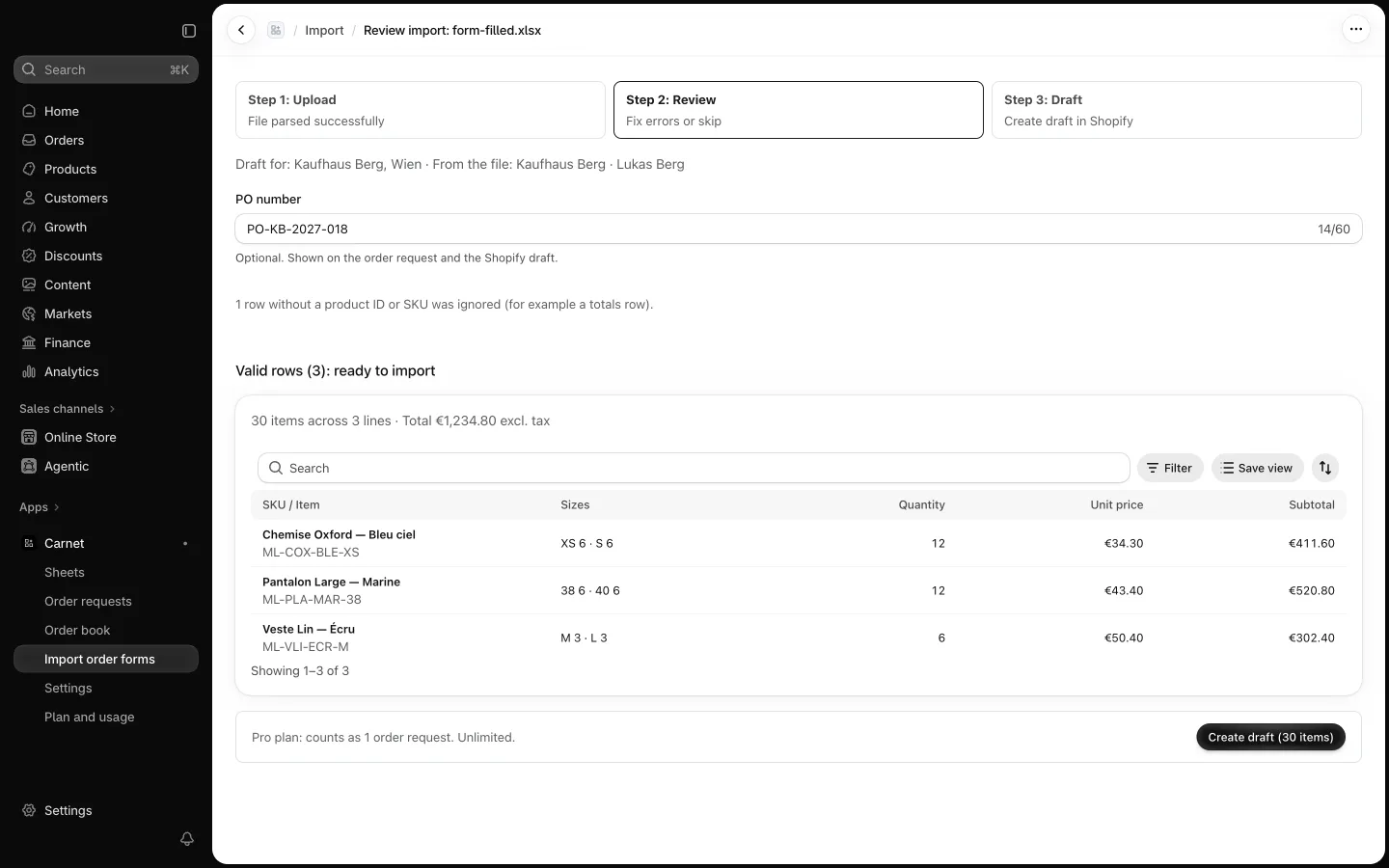
Download an Excel order form for any sheet. When a stockist sends it back, import it: Carnet turns it into an order request.
Wholesale Excel order form guide →
Carnet next to what you use today
| Criterion | PDF or Excel by email | Wholesale marketplaces | Shopify B2B storefront | Carnet |
|---|---|---|---|---|
| Who owns the buyer relationship | You | Often shared with the marketplace | You | You |
| Commission on orders | None | Typically a commission on orders | Depends on your Shopify setup | No commission, subscription only |
| Prices | Typed or exported by hand | Entered on the marketplace | Set in Shopify | Synced from Shopify |
| How the order reaches Shopify | Retyped by hand | Usually exported or re-entered | Created in Shopify | Draft order in Shopify, no retyping |
| Buyer needs an account | No | Typically yes | Often yes, to see company prices | No buyer account |
| Needs a marketplace listing | No | Yes | No | No |
| Setup each season | Rebuild the file | Update the listing | Maintain companies and price lists | Pick a collection, share a link |
Full comparison, including where Carnet is not the right tool →
Plans
Free
$0
- 1 line sheet
- 5 order requests a month
Best when you want to try one collection with two stockists.
Compare plans: Free →Starter
$19 USD every 30 days
- 10 line sheets
- 100 order requests a month
Best when you have one seasonal range and up to 20 stockists per sheet.
Compare plans: Starter →Pro
$39 USD every 30 days
- Up to 200 line sheets
- No monthly limit on order requests
Best when you have many stockists across many sheets.
Compare plans: Pro →Billed by Shopify, in USD, every 30 days. You approve each paid plan in Shopify admin before you are charged.
Setting up your first sheet?
Early brands get hands-on help. Write to us and we'll help you set up your first line sheet, and tell us what is missing: your feedback shapes what we build next.
Built for your stockists' data
Designed for GDPR roles: you are the controller, Carnet is your processor, under a Data Processing Agreement
Buyer contact details encrypted at rest, with a key per store
Order details deleted automatically: 180 days after processing, 60 days if never processed
Carnet at a glance
- What it is
- A Shopify app that turns a collection into a branded wholesale line sheet and order form
- Who it is for
- Fashion, accessories and home brands on Shopify that sell wholesale to stores
- Prices per stockist
- Shopify B2B company prices, a price tier, a percentage off retail, or retail
- Where orders go
- Your Shopify admin, as draft orders or order requests
- Buyers
- No account, no app; in their own language
- Cost
- Free plan; Starter $19 and Pro $39 USD every 30 days, billed through Shopify
- Not included
- Online payment by the buyer, stock levels, buyer logins
Last updated:
Guides
Ready for your next season?
Install Carnet and send your first line sheet on the Free plan.