Short answer
Download the Excel order form from any sheet. When a stockist sends it back, import it and Carnet creates an order request.
Before you start
You need a line sheet. The stockist fills in the quantities and sends the file back to you.
Steps: excel order forms: download and import
- Download the order form of your sheet (Download blank form on the import page) and send it to the stockist.
- The stockist fills in the quantities by size and sends the file back. Only .xlsx files up to 5 MB are accepted.
- Open Import in the menu. Drop the filled Excel order form, or choose the file.
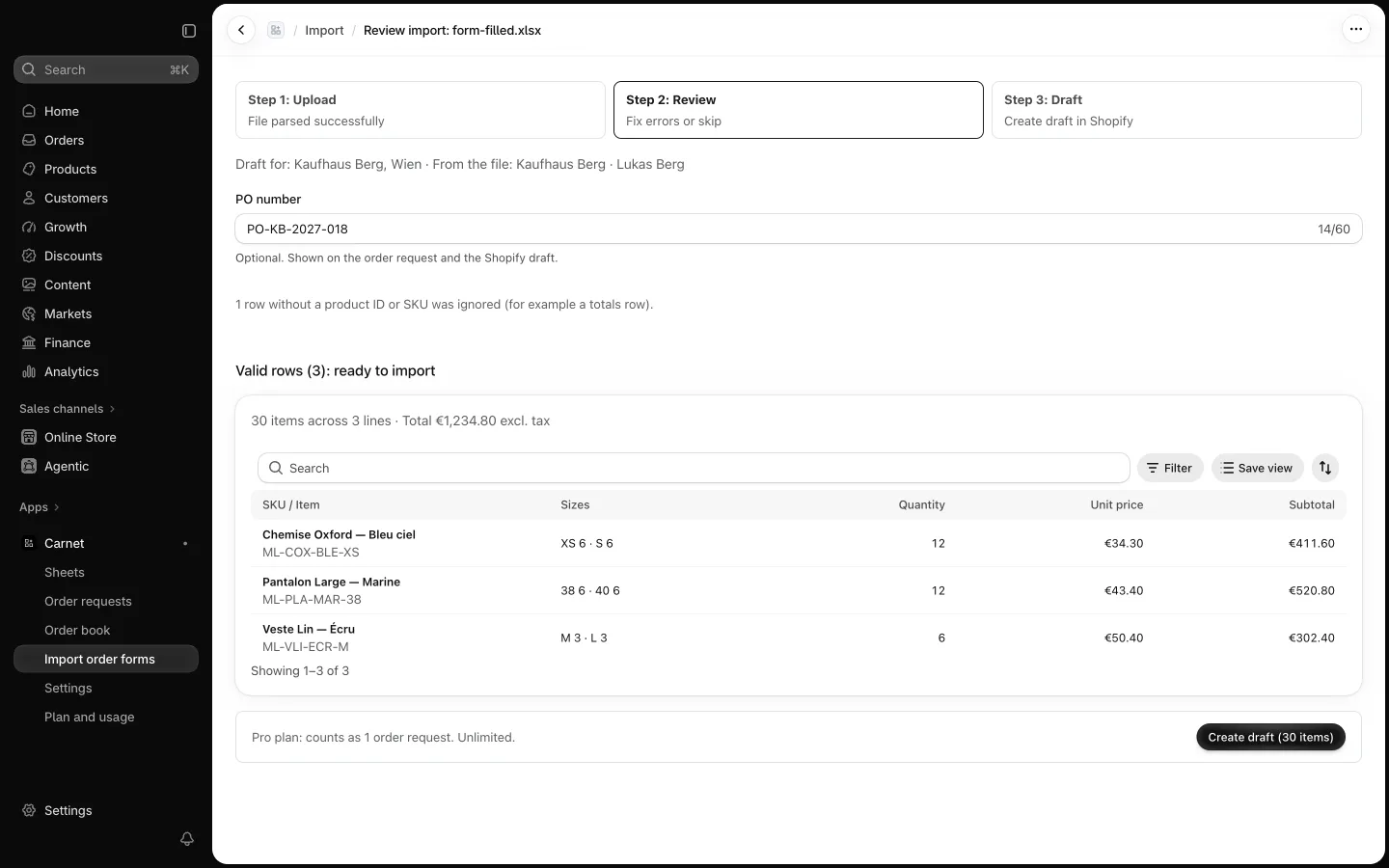
- Review the matched lines. Rows Carnet can't use are listed with a reason, for example a SKU that is not found on the sheet.
- Create the draft. The import counts as one order request. The uploaded file is deleted right after reading.