Short answer
Orders from stockist links become draft orders; the rest wait as requests you approve. Over your plan's monthly limit, new requests are held, not lost.
Before you start
Orders from a stockist link become draft orders. Orders from an Anyone link, Excel imports and orders you take yourself wait as requests.
Steps: handle orders: drafts, requests and held orders
- Open Orders received. Requests are sorted into the tabs Ready, Needs attention, Held and Done.
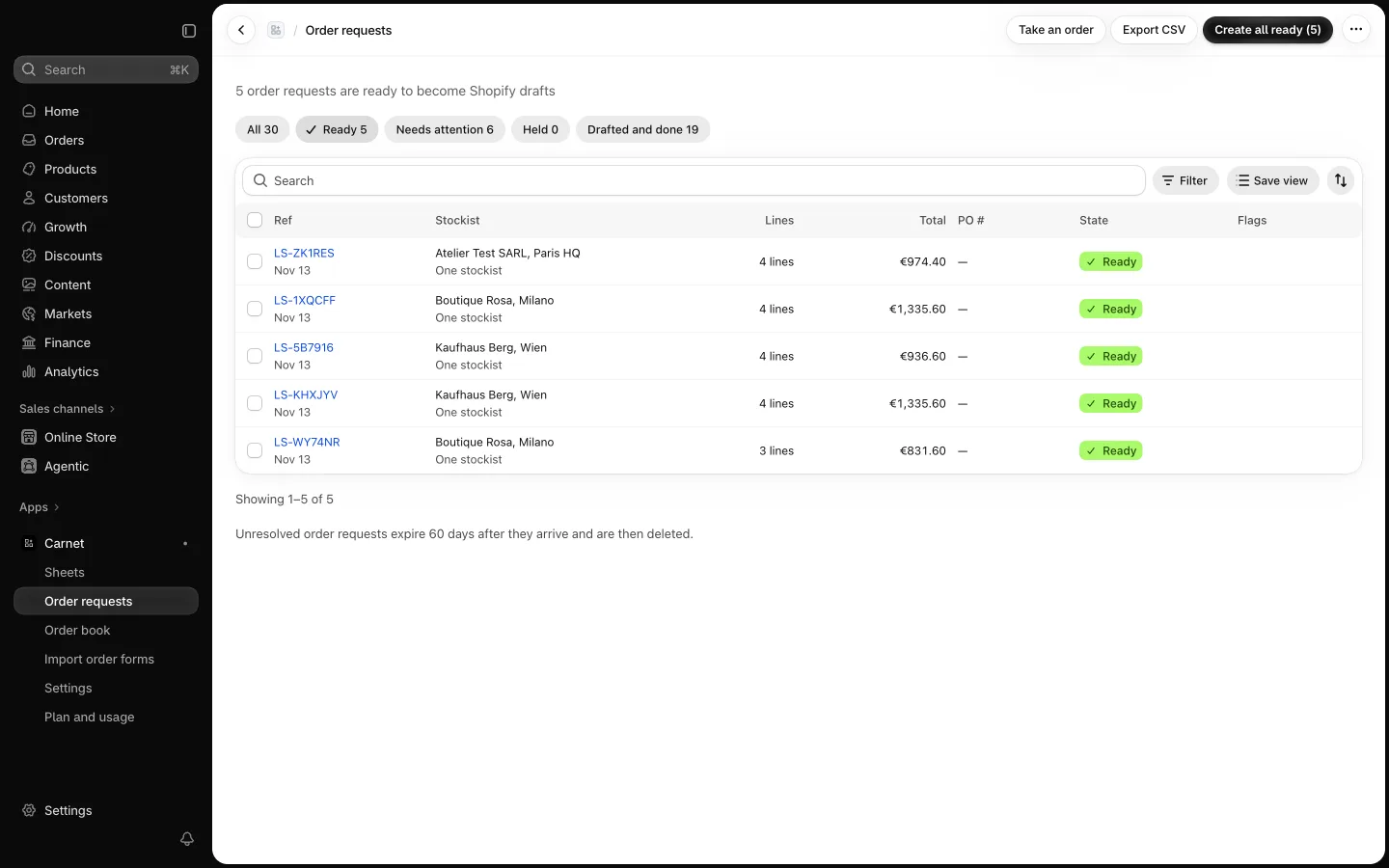
- Open a request to check the lines, quantities and prices, then create the draft. Or select Create all ready to draft every ready request in one step.
- To enter an order for a stockist yourself, use Take an order.
- Open the draft order in Shopify to check the company, location, lines and the LS reference in the note.
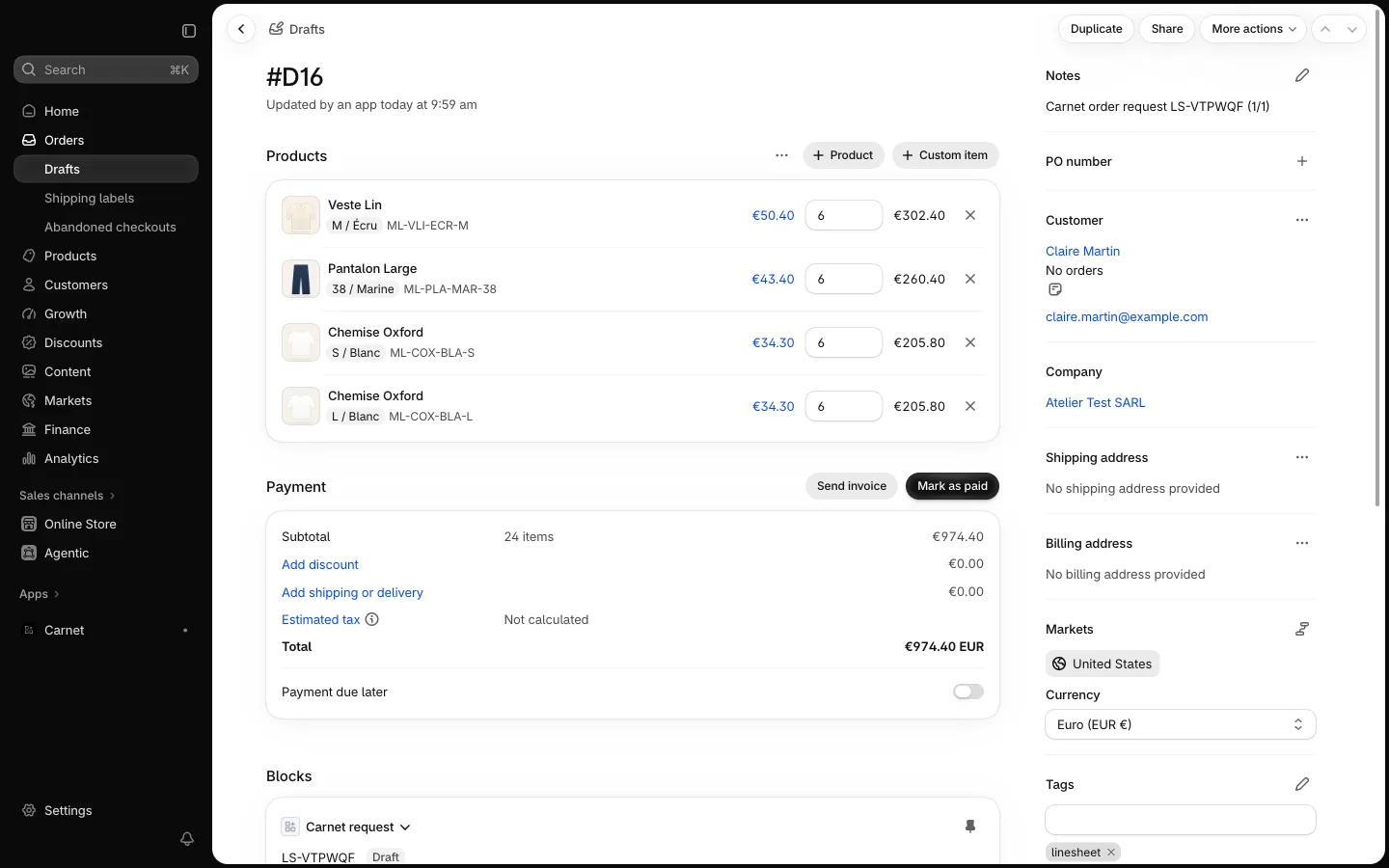
- Select Send Shopify invoice on the request, then Send invoice to confirm. Stockists pay through Shopify, not through Carnet.
Held orders
Over your plan's monthly limit, new requests are held, not lost. Upgrade your plan, or wait for the new month, then use Release when possible. See Pricing.