How it works
How Carnet works
From a Shopify collection to a draft order, in your brand's look. The app follows your Shopify admin language, and each buyer page opens in the language chosen for its link.
Watch the full walkthrough
Three minutes, from install to your first draft order.
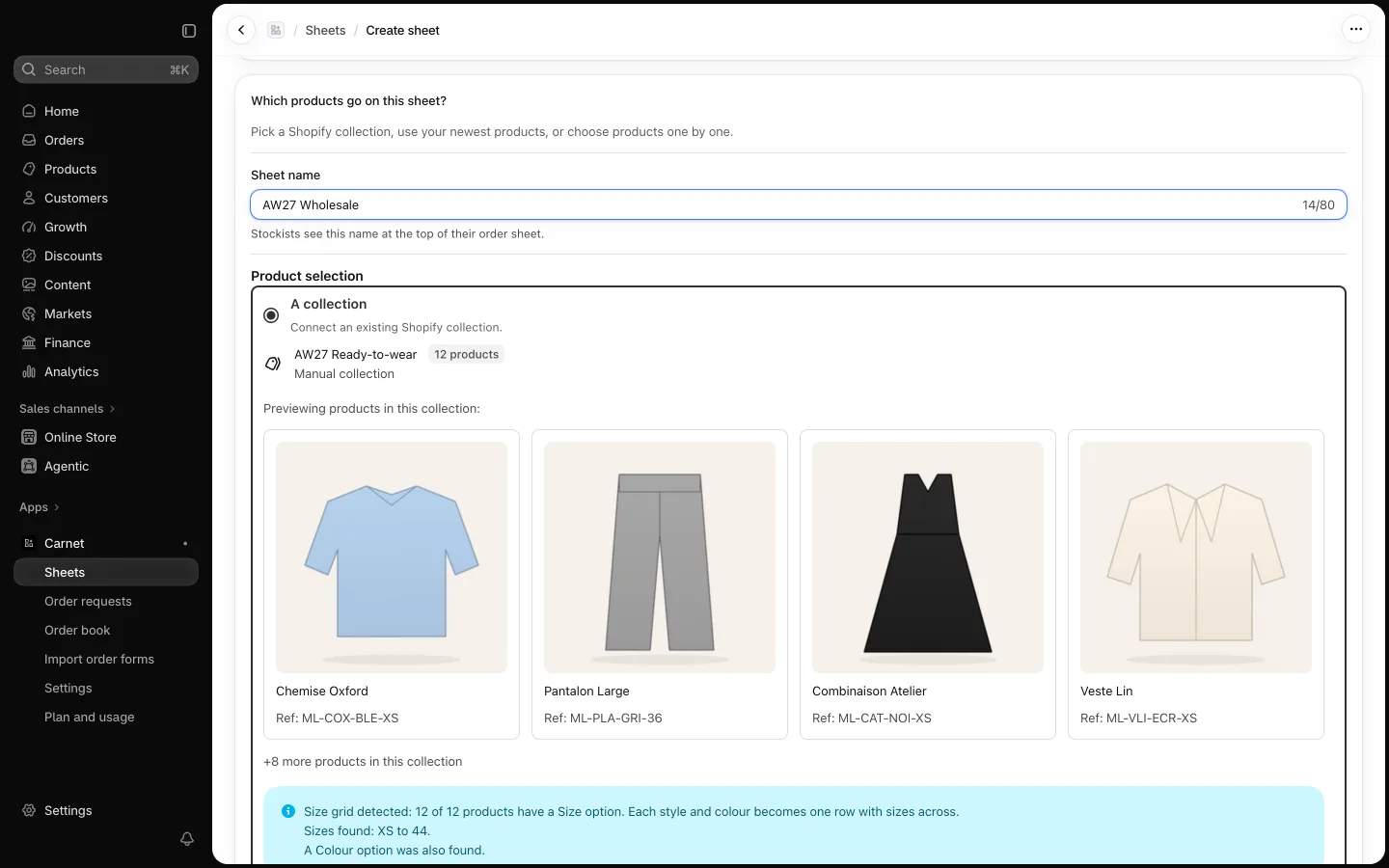
Build a line sheet from a collection
- Choose a Shopify collection; products, images and variants are synced from Shopify.
- Size grids are detected, so buyers order by size in one row.
- Set the terms buyers see first: delivery window, order deadline, price date, minimum order, free-shipping threshold.
- Duplicate a sheet for next season, archive it, or pause all its links.
Share one link per stockist
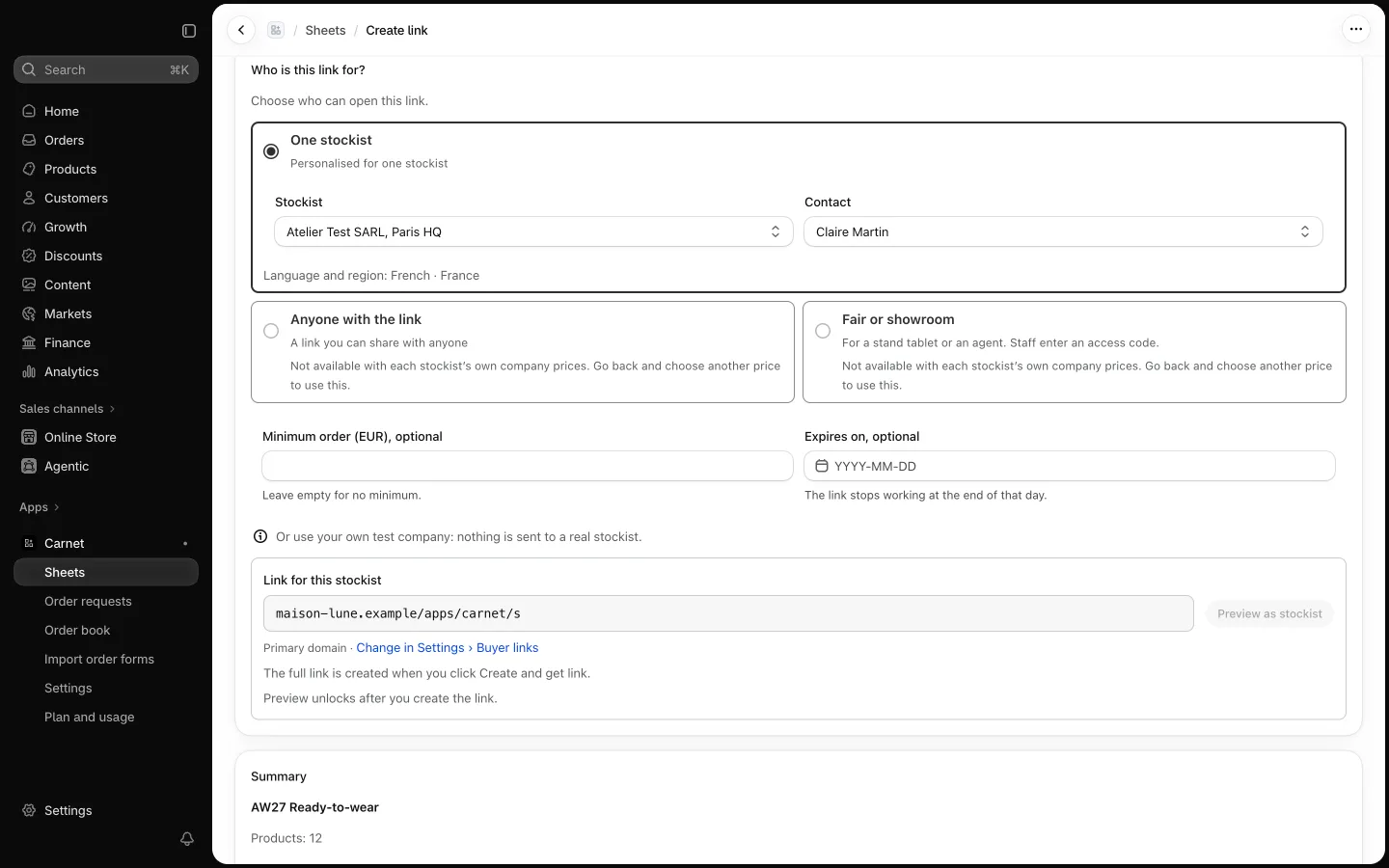
- One stockist: linked to a Shopify B2B company location, shows that company's own prices, and turns orders into draft orders.
- Anyone: for prospects; choose a price tier, a percentage off retail or retail. Orders arrive as requests you approve.
- Choose the language of each link.
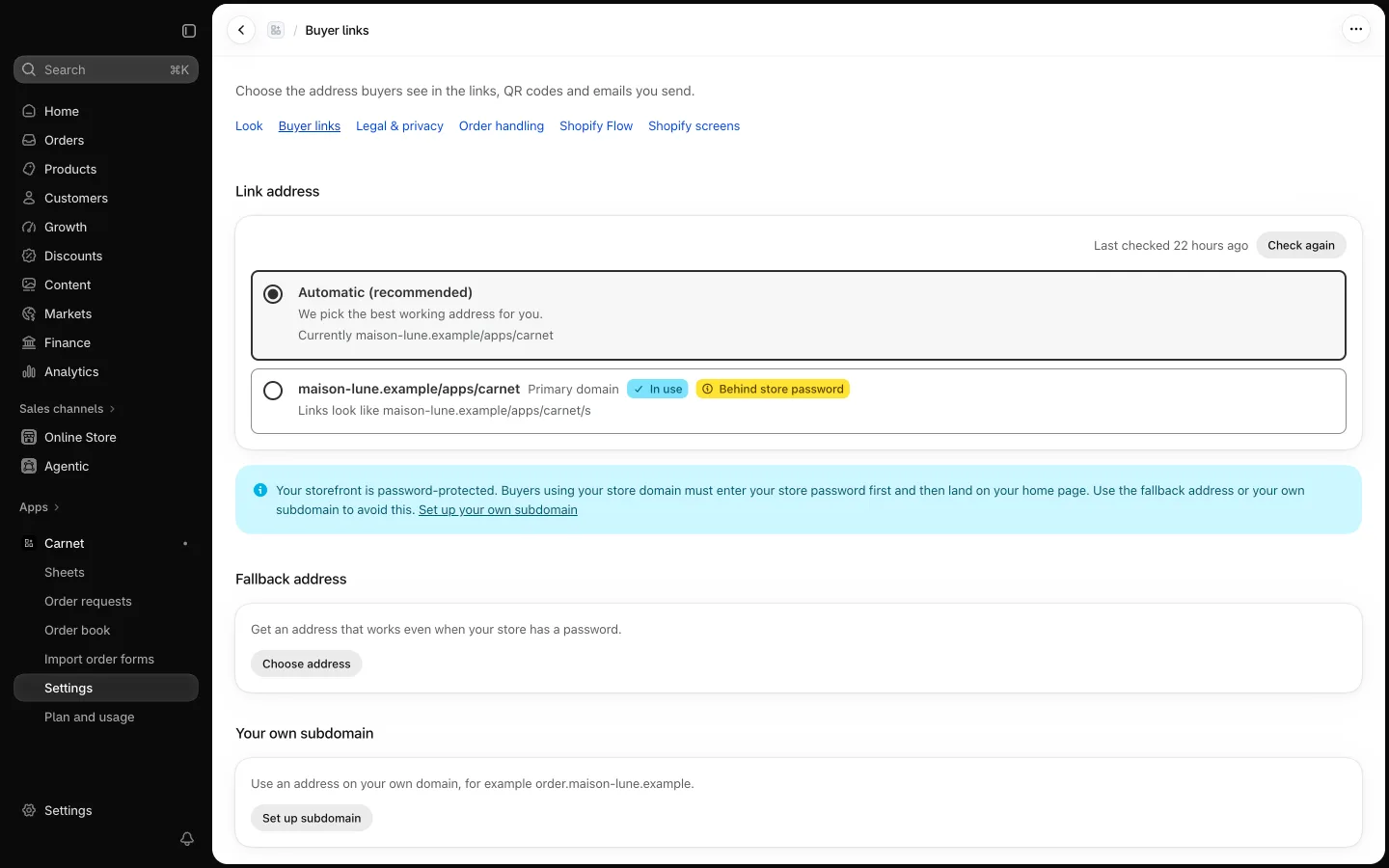
- Links open on your store's domain. If your store has a password, they use a neutral address like yourbrand.ordersheet.net, or your own subdomain such as order.yourbrand.com.
- Copy the link or download a QR code. Pause or revoke any time.
A clear page for buyers
- No account and no app.
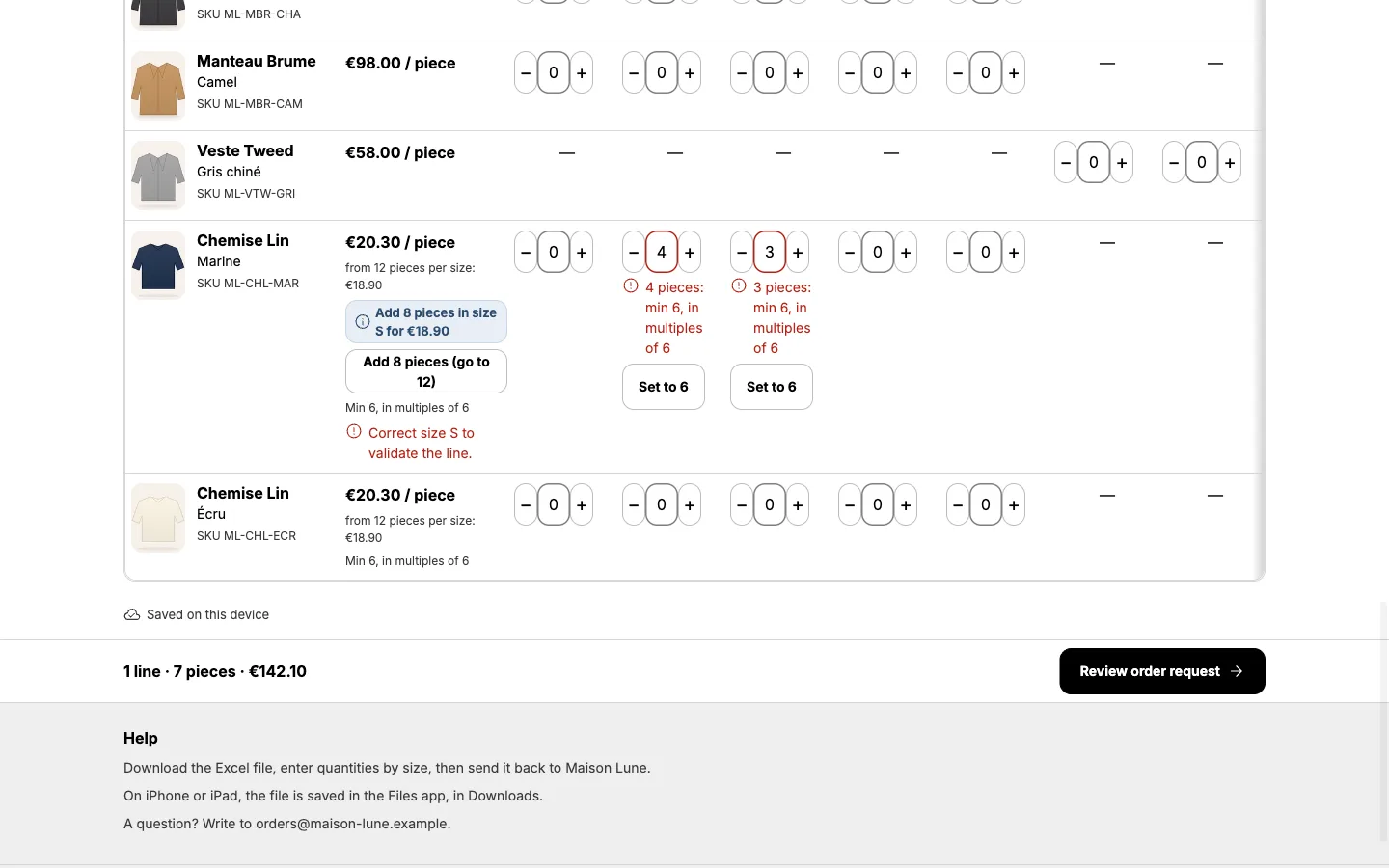
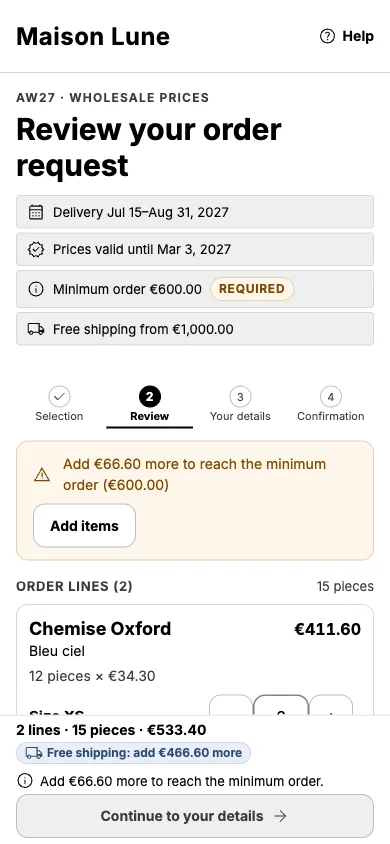
- Quantities by size, with the order minimum and free-shipping threshold shown as they go.
- Selection saved on the buyer's device.
- Review, details with a privacy notice, then a reference number and, for stockist links, a recap email.
Orders back in Shopify
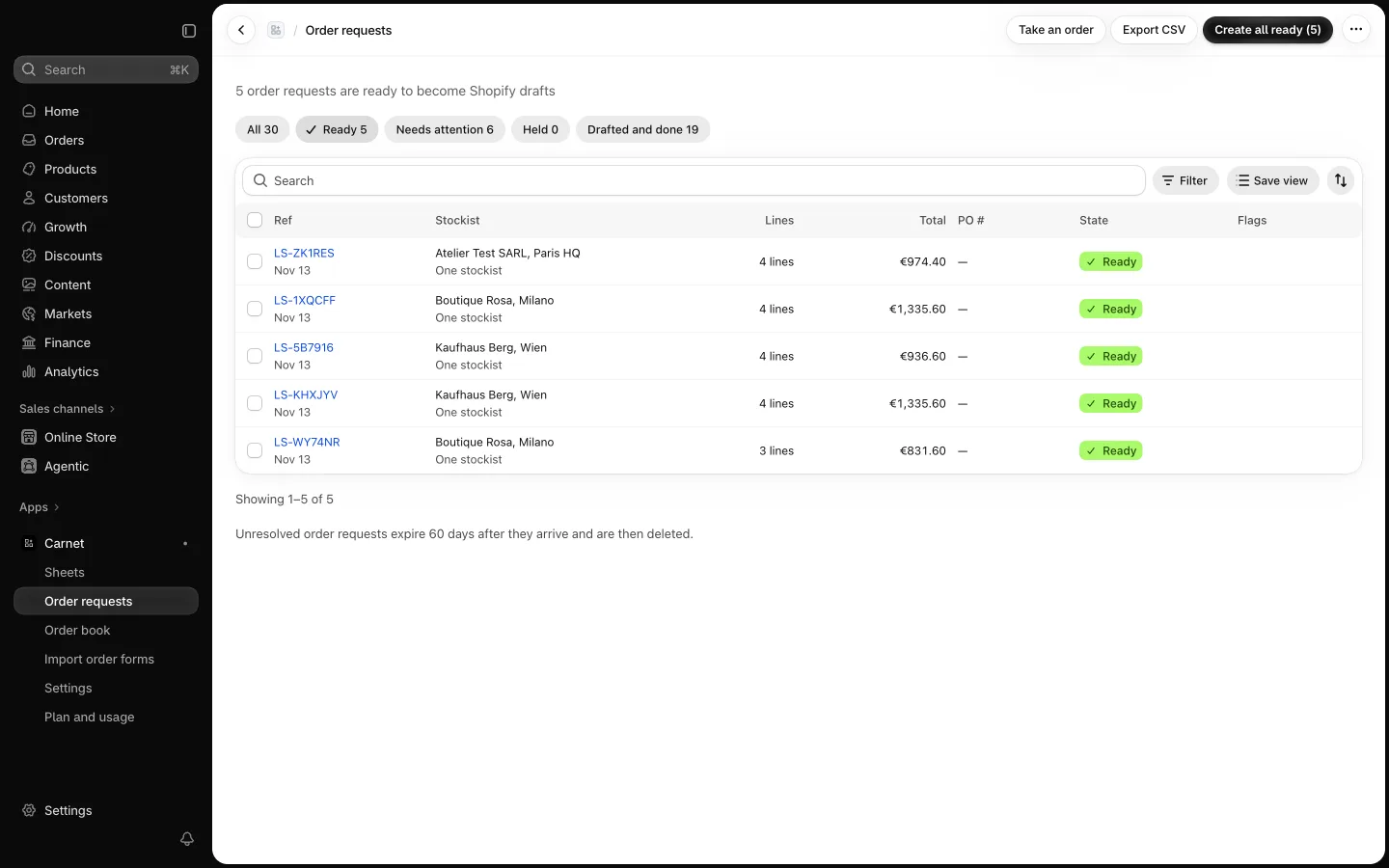
- Orders received, sorted into Ready, Needs attention, Held and Done.
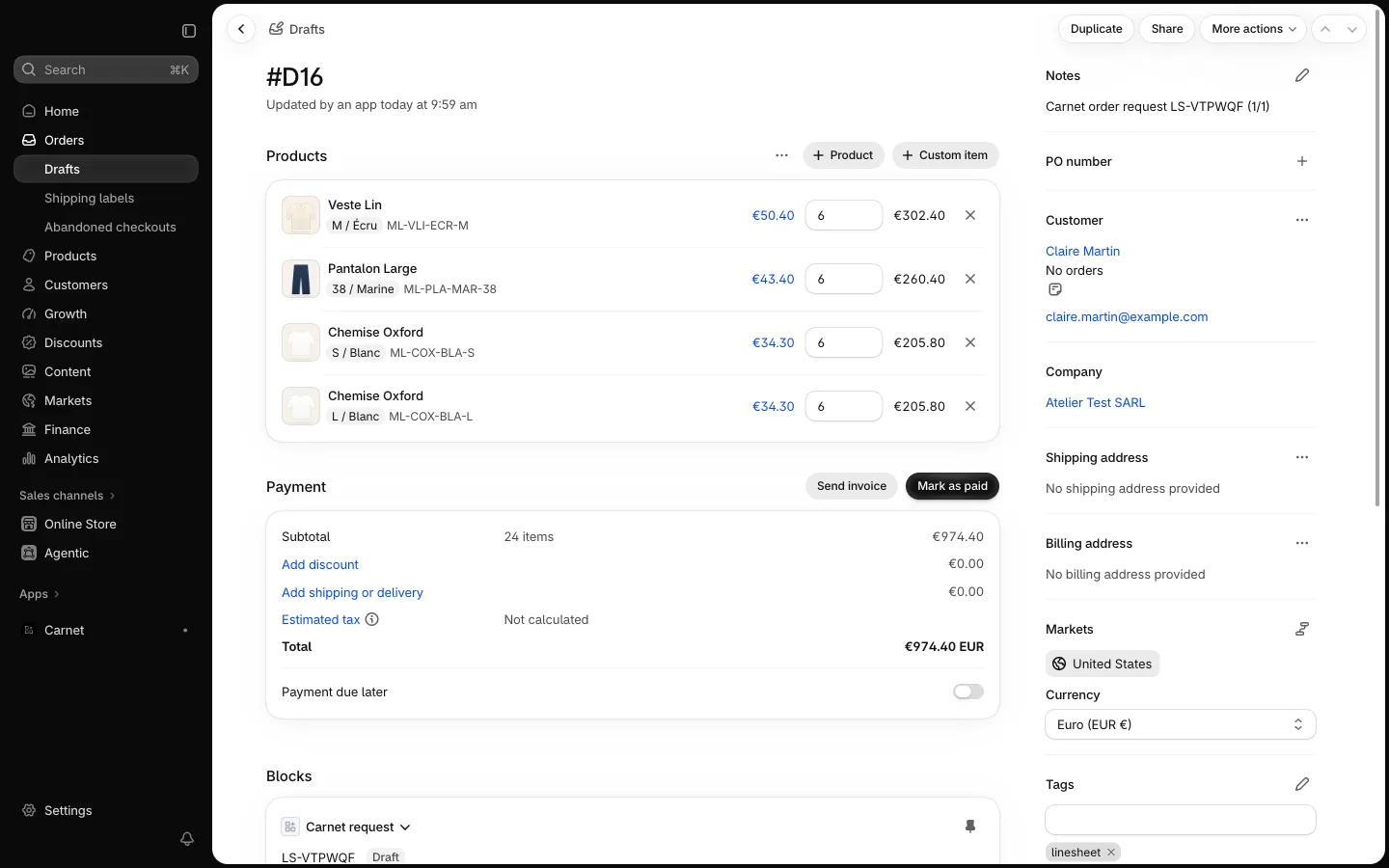
- Create all ready drafts in one step.
- Approve requests from Anyone links into a draft.
- Take an order yourself for a stockist.
- Send Shopify's invoice from the draft.
- Over your plan's monthly limit, new requests are held, never lost.
Excel order forms, both ways
- Download the order form of any sheet.
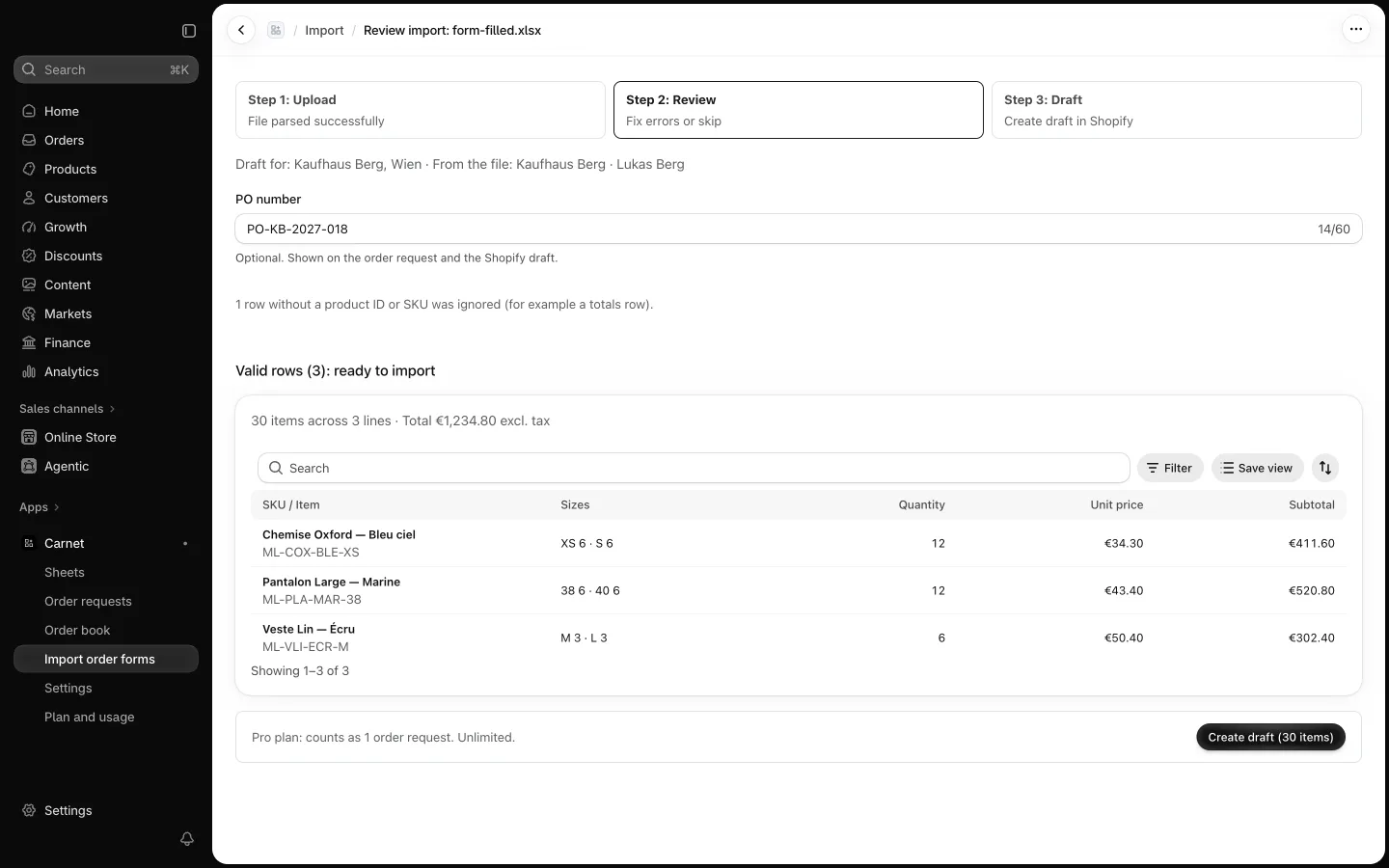
- Import a filled form: Carnet matches the lines and creates an order request.
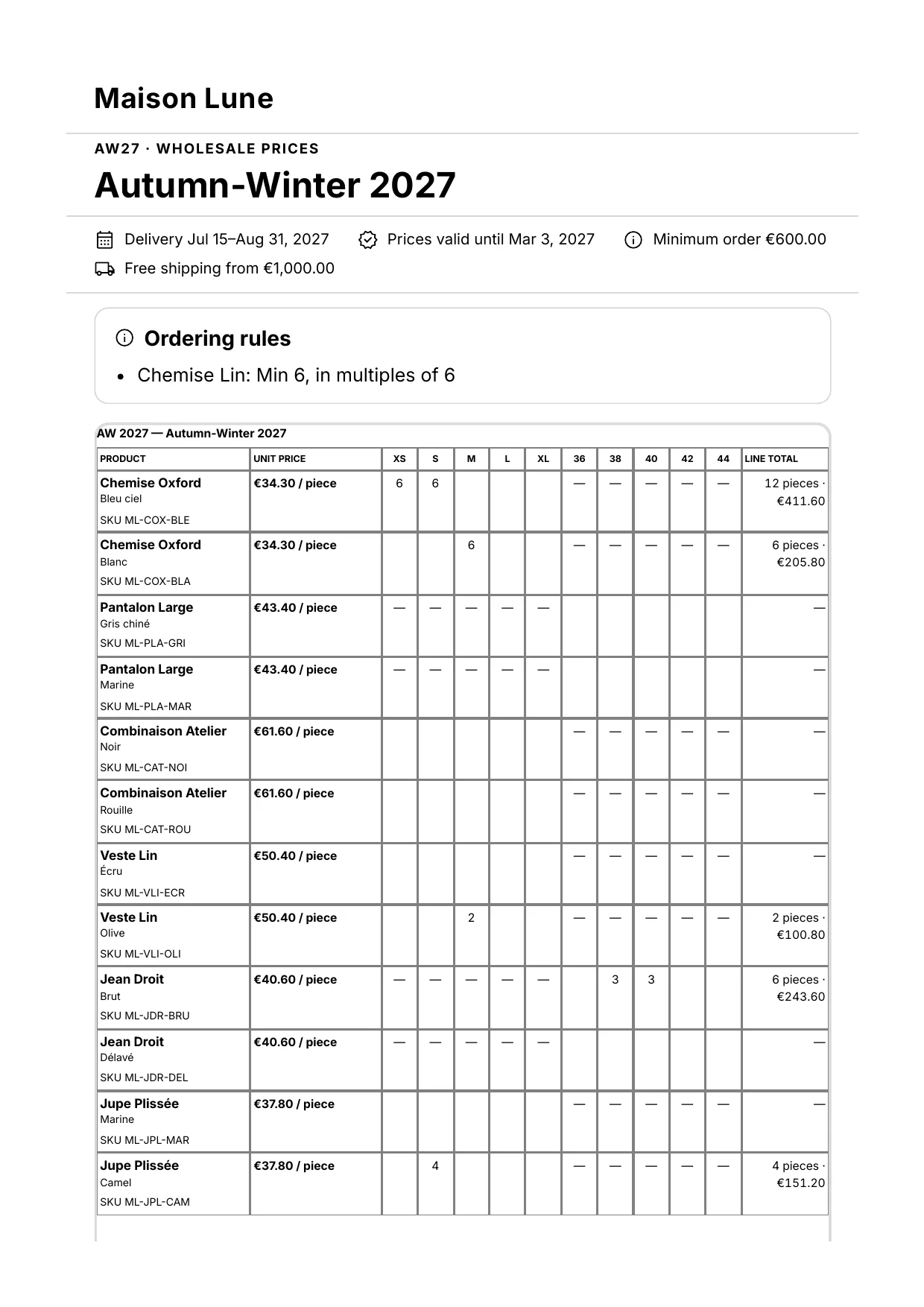
Prints as an A4 order form
Print or save as PDF from the browser. Only what matters on paper is printed: products, sizes, quantities, prices and terms.