Short answer
Add a link in the sheet's Links tab, choose One stockist or Anyone, pick a language, then copy the link or download its QR code.
Before you start
You need a line sheet. For company prices, your stockist must be a company in Shopify B2B.
Steps: share a line sheet with a stockist
- Open Sheets, choose your sheet, then the Links tab.
- Add a link. Under Who is this link for?, choose One stockist and pick the company location, or Anyone with the link and pick a price.
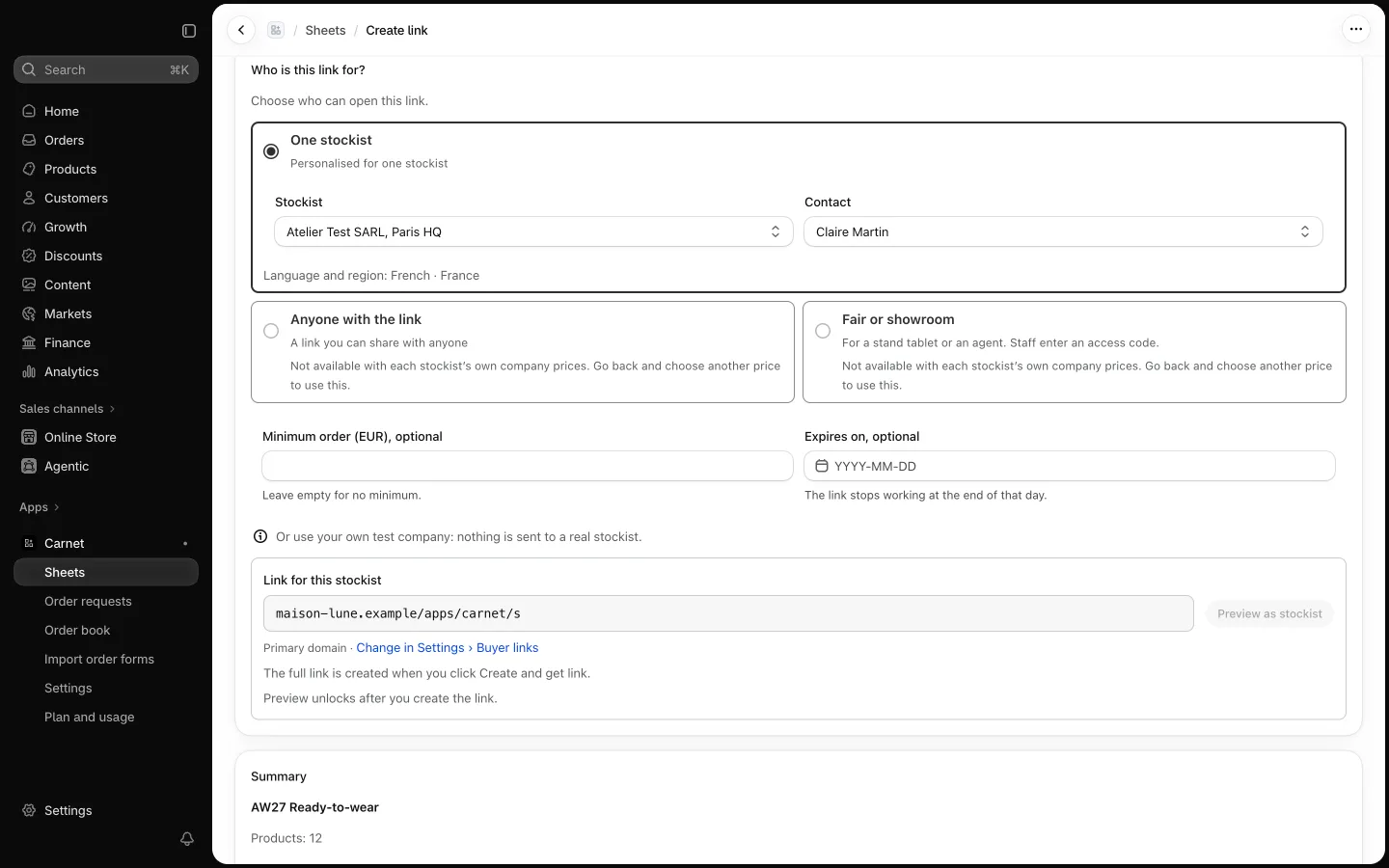
- Choose the buyer page language for each link. Buyer privacy notices stay in English outside English and French.
- Save. Use Copy link, or Download QR (SVG) for print or a showroom.
Where links open
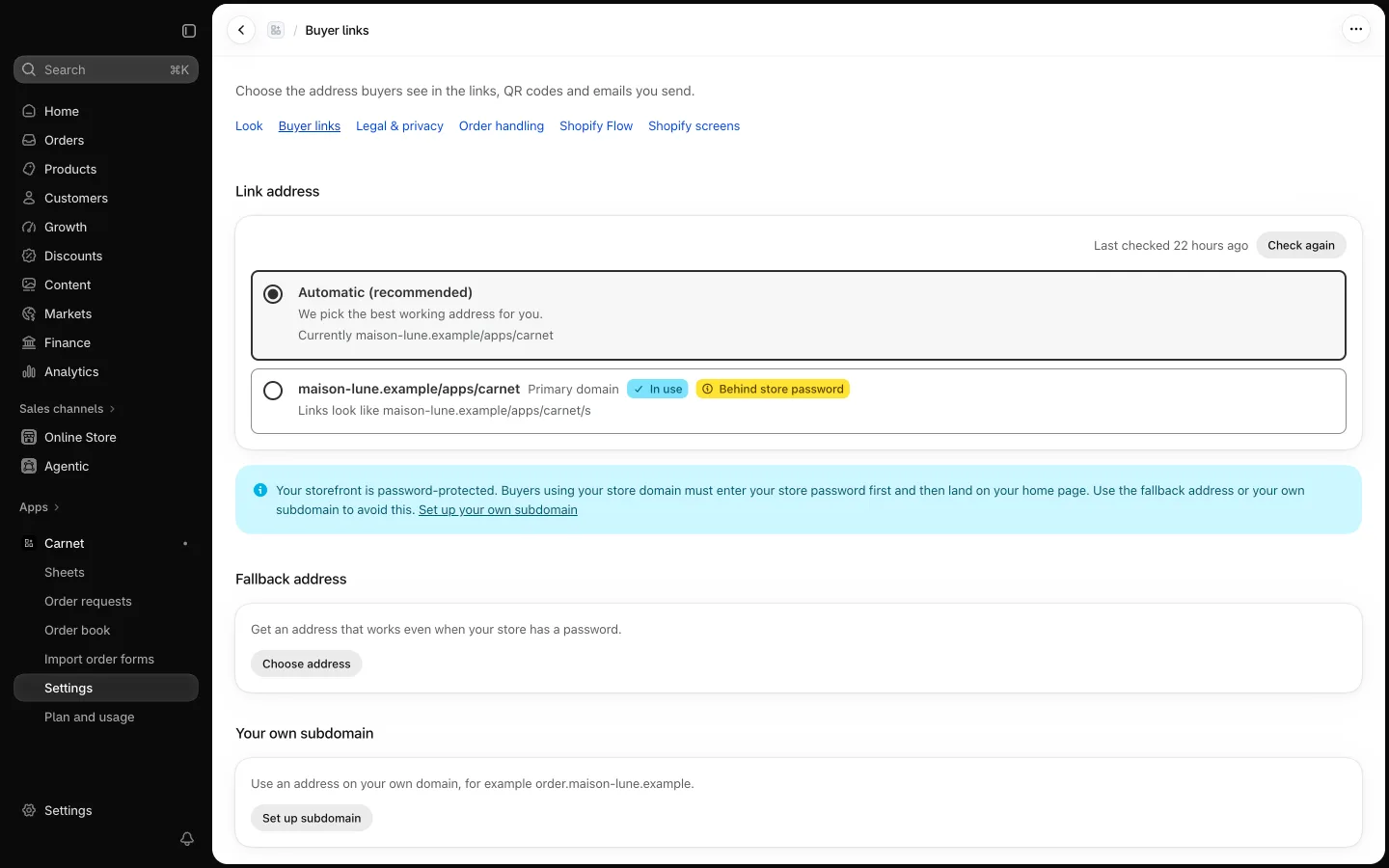
Links open on your store's domain. If your store has a password, Carnet uses a neutral address (yourbrand.ordersheet.net). You can also connect your own subdomain, such as order.yourbrand.com. The address is chosen in Settings, tab Buyer links.
Pause or revoke. Pausing a link stops new orders for a while. Revoking it ends the link for good: anyone who opens it sees a page saying the link is no longer available, and order requests already received are kept.