Short answer
Open Sheets, choose Create sheet, pick a Shopify collection and a price, set your terms and save. Then create a link to share.
Before you start
You need Carnet installed on your Shopify store and a collection with the products you want to sell wholesale.
Steps: create your first line sheet
- Open Sheets and select Create sheet. The first time, the button reads Create your first sheet.
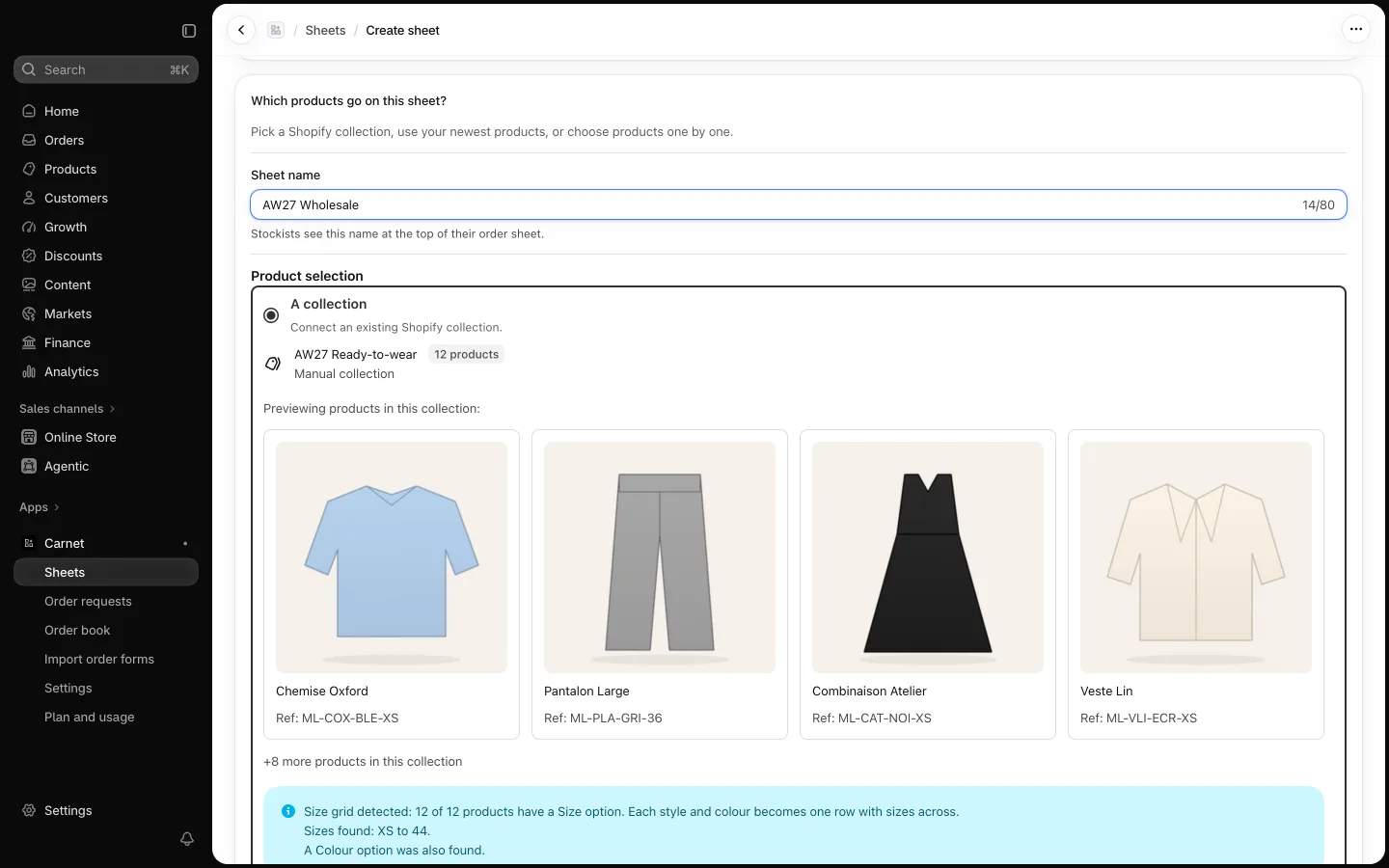
- Choose your products from a Shopify collection. Carnet shows a summary and tells you when it has detected a size grid, so buyers order by size in one row.
- Choose a price (step Price). See Set wholesale prices for the choices.
- Set the terms buyers see first: delivery window, order deadline, price date, minimum order and free-shipping threshold.
- Save. Then create a link to share the sheet (step Create link): see Share a line sheet with a stockist.
You can duplicate a sheet for next season, archive it, or pause all its links.