Short answer
Carnet imports your theme's colours and fonts. Adjust them in Settings → Look; paid plans add more look options.
Before you start
Carnet starts from your Shopify theme's colours and fonts. All plans can adjust them. Starter and Pro add more, see Pricing.
Steps: make the line sheet look like your brand
- Open Settings, tab Look. The page shows which theme was imported and when it was checked.
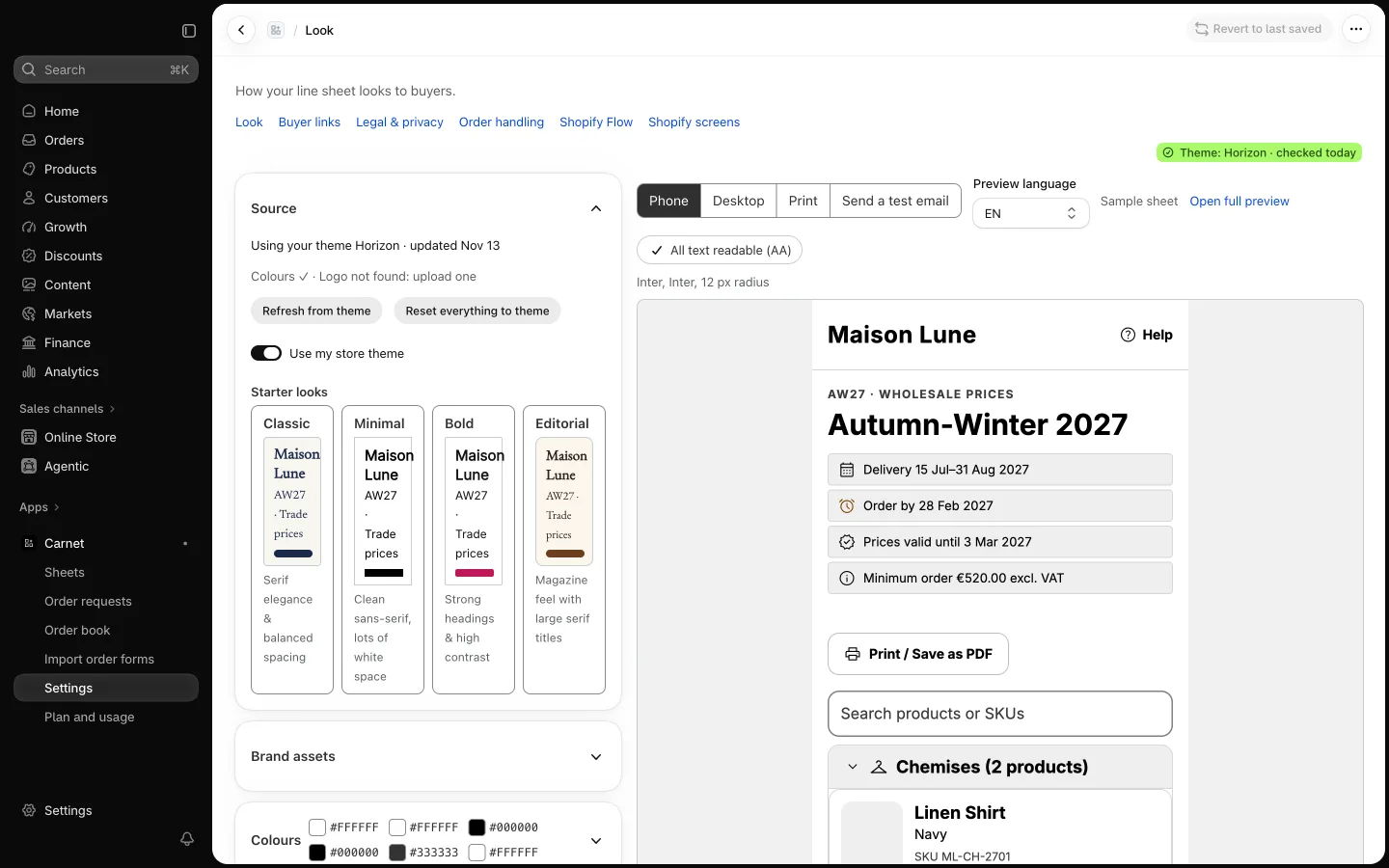
- Check the preview of the buyer page and adjust colours and fonts. If a colour pair is hard to read, Carnet warns you.
- Starter and Pro: give a single sheet its own look from the sheet's Look tab, with header styles, button style and wording, gallery layout and more.
- Pro: upload your own font files and save looks to reuse them.
- Use Revert to last saved if you want to drop your changes.